RAW Stacking & AI Denoise

Reveal morefrom every frame.

Your camera captures the frames. Your iPhone or iPad stacks them. Transfer your photos, align and combine them, then refine and export your result — without a computer.

释放每一帧隐藏的细节

用相机拍摄,用 iPhone 或 iPad 完成堆栈。传入照片后,在设备上对齐、合成、调色并导出;外出拍摄,也不必带电脑处理。

Available now on the App Store for iPhone and iPad 现已在 App Store 上架,支持 iPhone 与 iPad

Real photographs. Documented processing.

真实照片,说明处理过程

One night sky.
Six RAW frames.

同一片星空,
六张 RAW 合成。

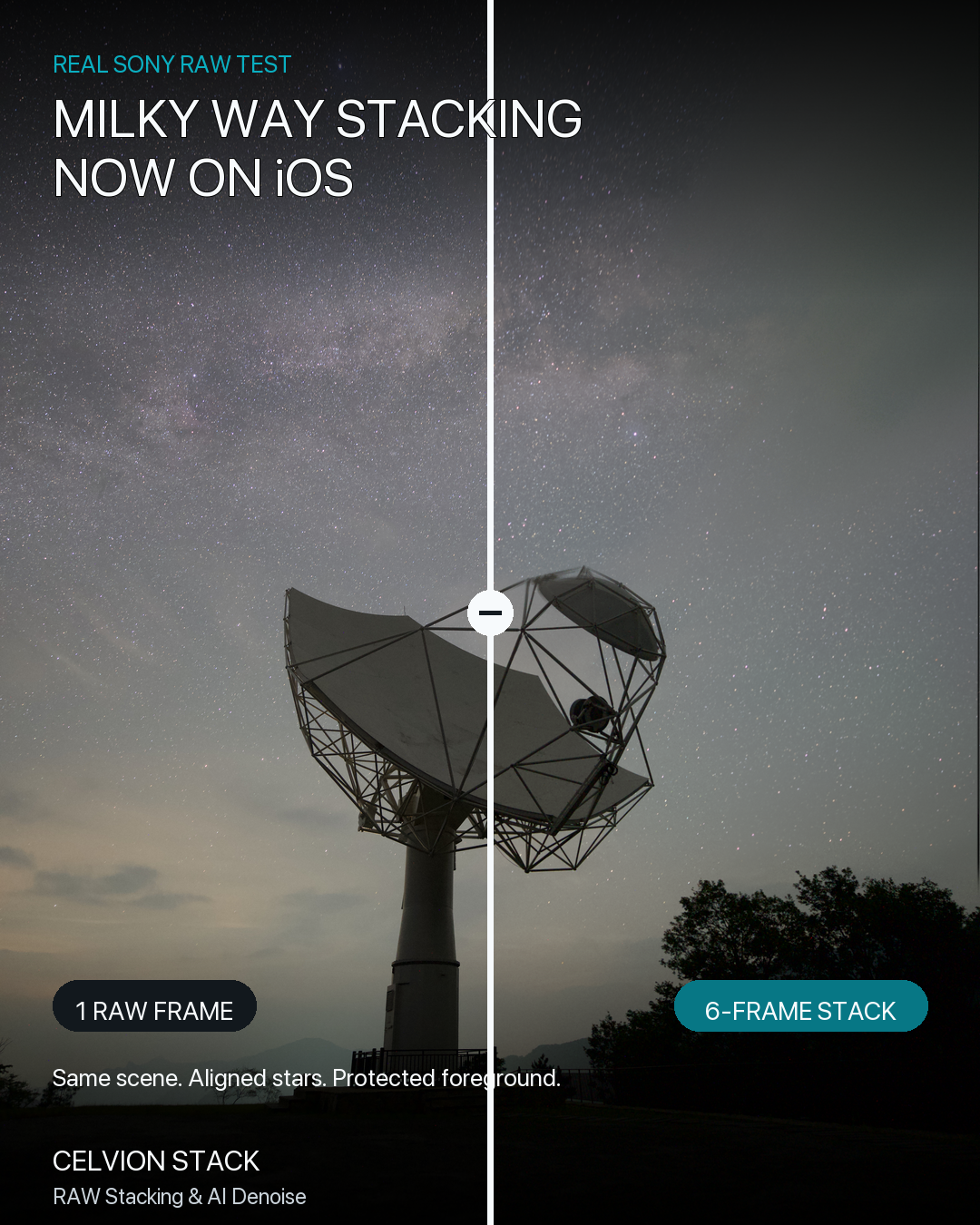
A real Sony RAW sequence photographed by the developer. Compare one exposure with the app's six-frame stack, then watch the 15-second silent walkthrough.

开发者实际拍摄的 Sony RAW 序列。对照一张曝光与 App 六帧堆栈的结果,再通过 15 秒无声演示了解流程。

Real Sony night-sky comparison: one RAW frame on the left, six-frame stack on the right
Single frame → six-frame stack 单张原片 → 六帧堆栈 Tap to inspect the presentation image. Noise reduction also involves a detail trade-off; this is one example, not a guarantee for every scene. 点击查看展示图。降噪与细节保留存在取舍;这是一组真实样例,并不保证所有场景都有相同效果。
Understand it without sound 不用声音,也能看懂 A condensed before/after demonstration with on-screen labels. The 15-second video is not a real-time processing benchmark. 带画面标注的前后对比短片。15 秒是演示片长度,不代表实际处理耗时。

What you are seeing

这组对比如何制作

Reference: Sony _DSC7605.ARW. Result: the app's recorded six-frame Milky Way stack. The images and video were prepared in August 2026 with crops, labels and presentation resizing only — no generated stars, replaced sky or additional promotional denoising. The 1080 × 1350 presentation is not the source RAW resolution or a full-resolution export benchmark. Star motion and the fixed foreground require different alignment; inspect both rather than judging only smoothness.

参考帧为 Sony _DSC7605.ARW,结果来自已留存的 App 六帧银河堆栈。图与视频制作于 2026 年 8 月,仅作裁切、标注和展示缩放,没有生成星点、替换天空或额外宣传降噪。1080 × 1350 是展示尺寸,不是 RAW 原片分辨率,也不是满分辨率导出测试。星空运动与固定地景的对齐方式不同,请同时检查两者,而不只看画面是否平滑。

Read the sample notes and file checksums查看样片说明与文件校验值

iOS / iPadOS 17 or later. AI features require iOS / iPadOS 18 and a compatible device. RAW decoding and automatic lens matching depend on the camera, file metadata and operating system. The App Store shows your local price. 需要 iOS / iPadOS 17 或更高版本;AI 功能需要 iOS / iPadOS 18 及兼容设备。RAW 解码与自动镜头匹配取决于相机、文件元数据和系统支持。当地售价以 App Store 为准。

A complete mobile workflow

完整的移动摄影工作流

From difficult frames to a finished image.

从复杂原片,
到完整作品。

Built for night scenes, Milky Way shots, light trails, flowing water, cleanup, and everyday landscape photography.

为夜景、银河、光轨、流水与云雾、画面清理和日常风光摄影而设计。

01

RAW-first import

RAW 优先导入

Work with supported camera RAW formats and standard photos while preserving the originals. Matching profiles can correct geometric lens distortion; automatic vignetting and chromatic-aberration correction are not currently included.

导入受支持的相机 RAW 与标准照片,不修改原始文件。配置匹配时可校正镜头几何畸变;目前不包含自动暗角和色差校正。

02

Intelligent stacking

智能照片堆栈

Align and combine frames for cleaner detail, smoother motion, light trails, or unwanted-object cleanup.

自动对齐并合成多帧,用于降噪、柔化运动、光轨与画面清理。

03

On-device AI denoise

设备端 AI 降噪

NAFNet-based enhancement reduces visible noise locally, with a non-AI fallback when needed.

基于 NAFNet 的增强在本地减少噪点,并在需要时自动使用非 AI 方案。

04

AI super-resolution

AI 超分辨率

Real-ESRGAN 4× enhancement can recover perceived detail for compatible images and devices.

Real-ESRGAN 4× 增强可在兼容图像和设备上提升观感细节。

05

Precise finishing tools

精细调色工具

Adjust exposure, tone, color, clarity, sharpening, noise reduction, and crop in one focused workflow.

在统一工作流中调整曝光、影调、色彩、清晰度、锐化、降噪与裁切。

06

High-quality export

高质量导出

Export JPEG, PNG, 16-bit TIFF, or 10-bit HEIF with sRGB, Display P3, Adobe RGB, or preserved color.

导出 JPEG、PNG、16 位 TIFF 或 10 位 HEIF,并支持多种色彩空间。
iPhone + iPad

iPhone + iPad

A focused workspace on every screen.

每块屏幕,都有舒适的工作空间。

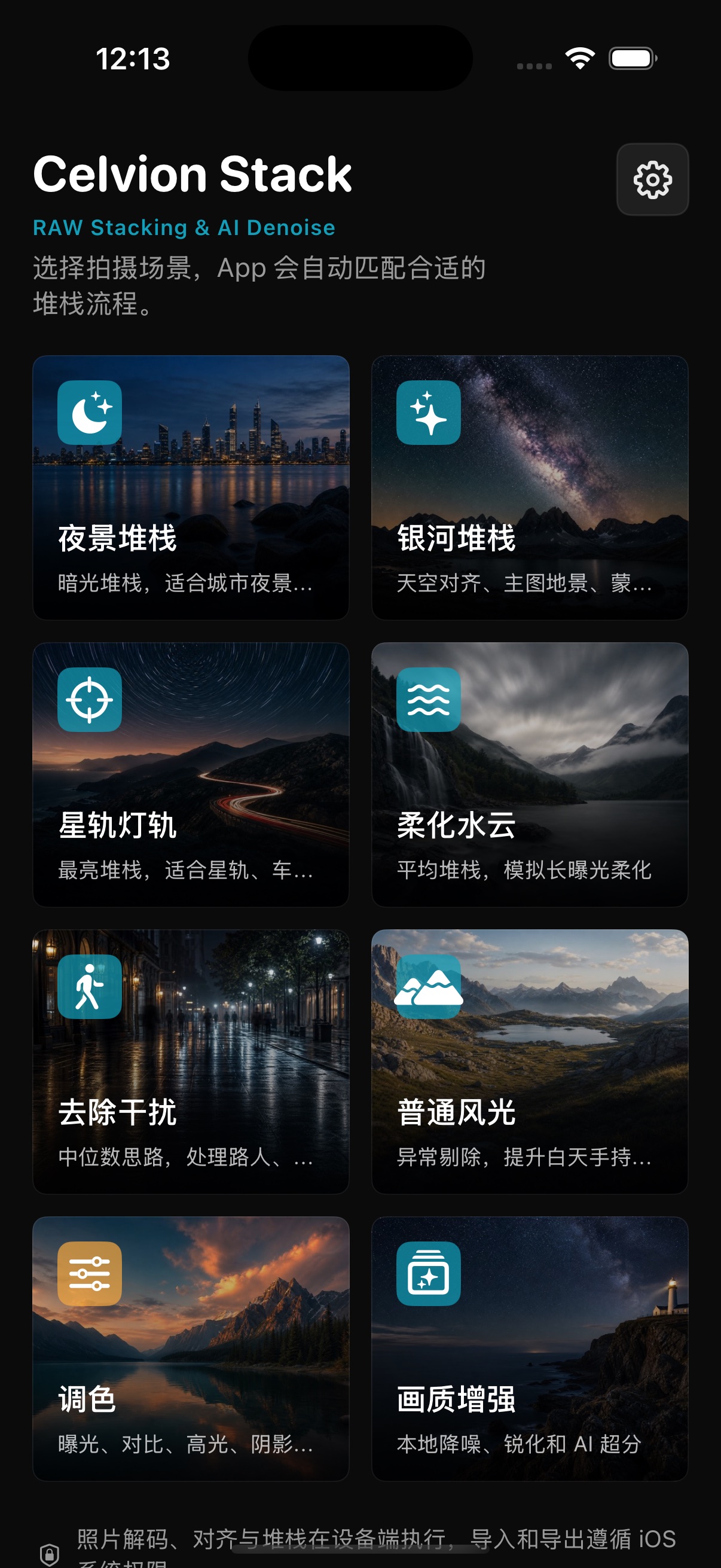
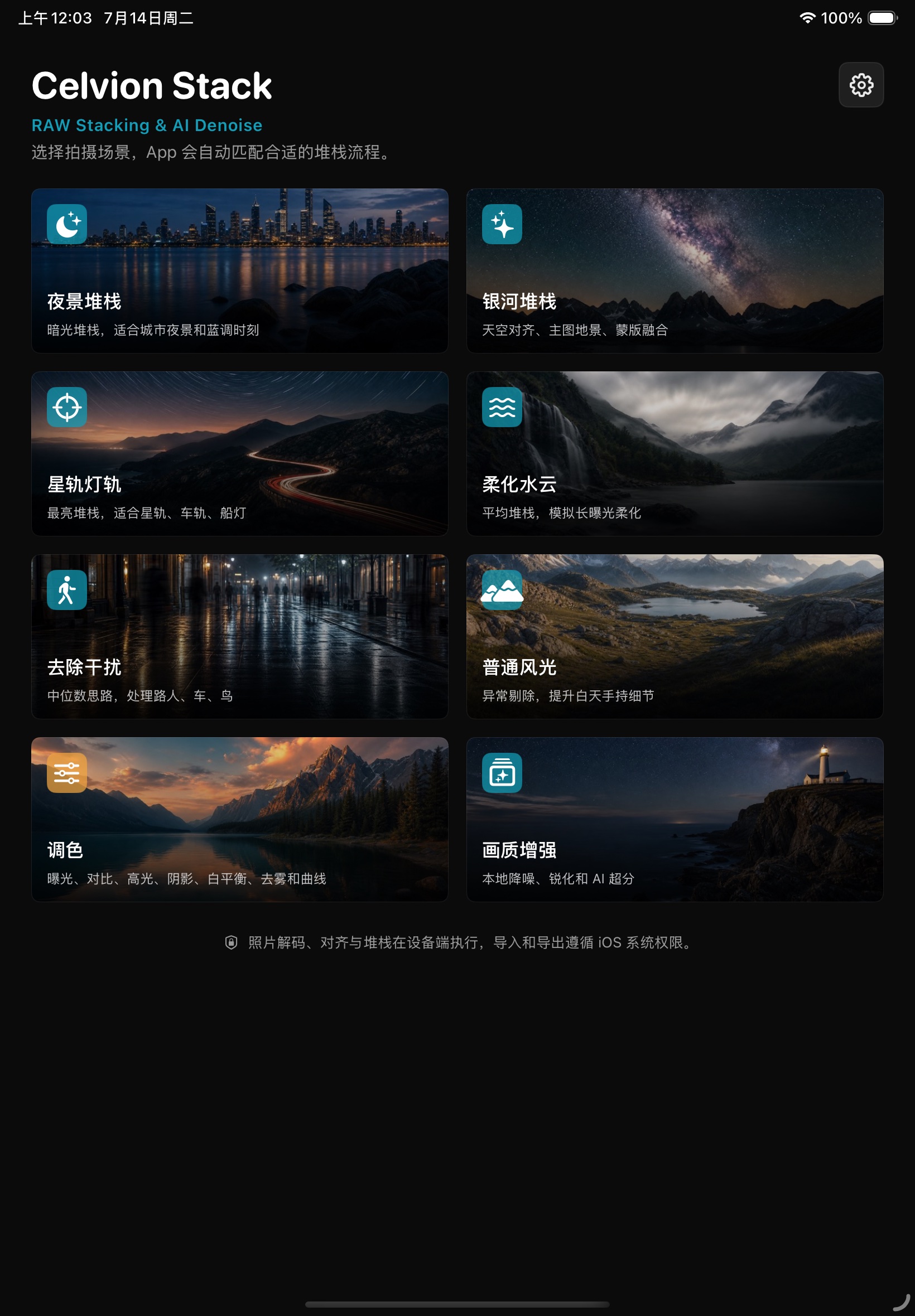
The interface adapts from a compact phone workflow to a spacious tablet layout without hiding the tools you need.

界面从紧凑的手机工作流自然扩展到宽阔的平板布局,重要工具始终清晰可见。

Celvion Stack home screen on iPhone
Celvion Stack home screen on iPad

Open source & transparency

开源与透明度

Every model, license, and lens-data source.

每项模型、许可证与镜头数据来源。

Review the open-source software, Core ML models, and Lensfun-derived optical-correction database used by Celvion Stack, including full license texts, attribution, modification notes, and the public data package.

查看 Celvion Stack 使用的开源软件、Core ML 模型与 Lensfun 衍生光学校正数据库,包括许可证全文、署名、修改说明和公开数据包。

Lensfun · CC BY-SA 3.0
NAFNet · MIT / Apache-2.0
Real-ESRGAN · BSD-3-Clause
Public source and data links公开源码与数据链接

Private by default

默认保护隐私

Powerful processing. No photo upload.

强大的处理能力,无需上传照片。

Decoding, alignment, stacking, editing, and Core ML inference happen on your device. Celvion Stack does not operate an account system or developer photo server.

解码、对齐、堆栈、编辑与 Core ML 推理均在设备上完成。Celvion Stack 不设账户系统,也不运营照片服务器。

No account required无需注册账户
No ads or cross-app tracking无广告与跨 App 跟踪
No third-party analytics SDK无第三方分析 SDK
Your originals remain untouched原始文件保持不变