 Plant Journal
Set your starting point
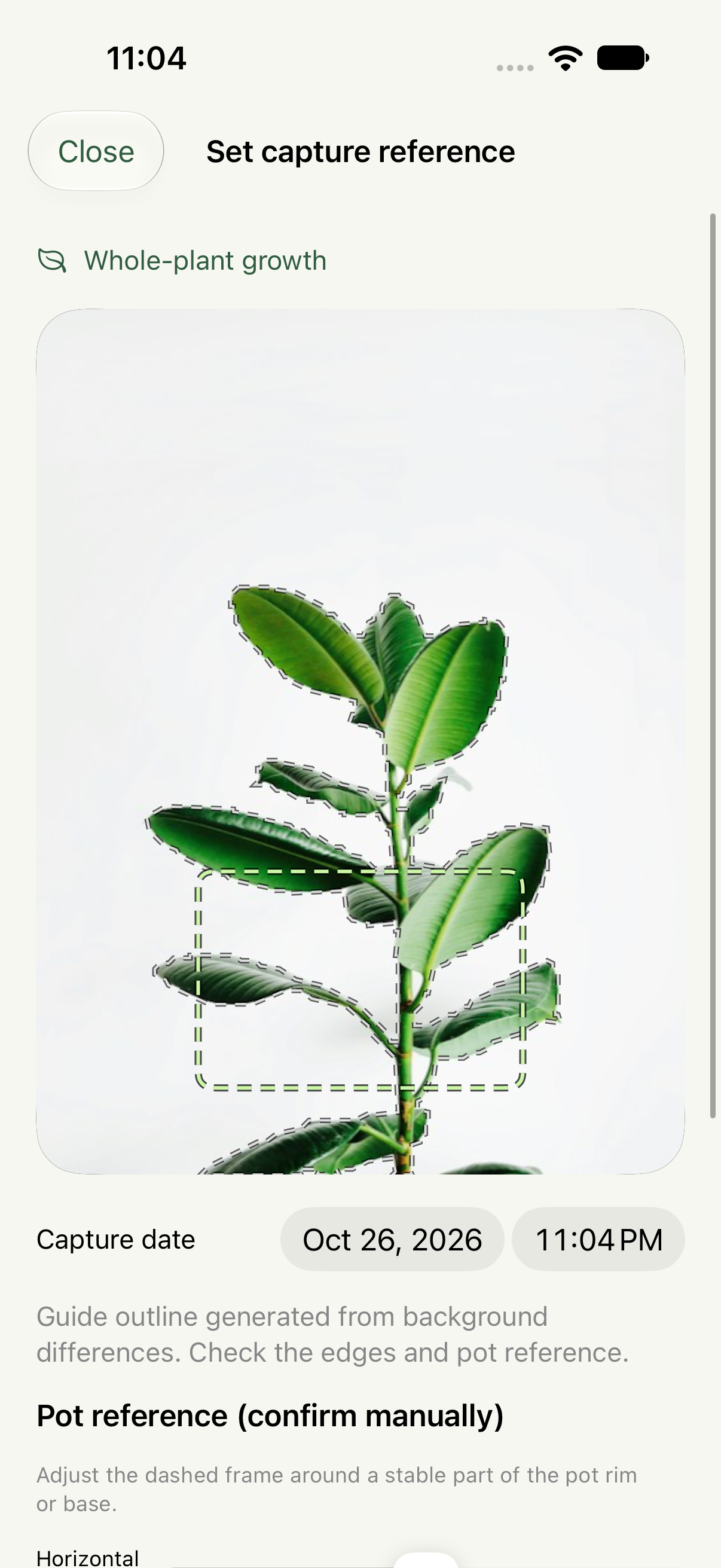
Create a plant record and take or import a first photo. Confirm the reference outline and a stable area of the pot to guide your next shot.
For the changes you almost miss
Come back to the same view. Notice the new leaf. Turn a little attention, day after day, into a film of your plant’s growth.
Release in preparation · iPhone & iPad
One small habit, a fuller story
A photo is the beginning. A consistent view, a practical plan, and a little context make it a record you can return to.
Create a plant record and take or import a first photo. Confirm the reference outline and a stable area of the pot to guide your next shot.
Plan from the subject, recording period, or finished film length. Connect the plan to a photo reminder, then add watering, feeding, pruning, or other care tasks.
Put photos, observations, and completed care in one timeline. Compare the first and latest view, review recent records, and choose what belongs in your film.
A reference that stays useful
A translucent reference and an assisted outline help you return to your composition. Confirm the guide yourself, especially when leaves overlap or the background is busy.
A little polish. Your choice.
Preview the result before committing to an export. Keep original frames or choose the adjustments that suit this sequence.
Choose reference-area deflicker, color alignment, and plant color protection. See the crop cost of stabilization, then decide what to apply.
Organize the film by actual photo times or adjust the pace of selected sections. Review suggested highlights yourself. AI interpolation is optional and generated sections remain identifiable.
AI creates intermediate images; it can distort leaves or invent transitions. It does not measure growth or replace the original photos. With or without correction, your source photos remain available in the app.
A record you can take care of
Photos and records live in the app’s device storage. Make a local backup, export a film, or choose a private iCloud backup when you want another copy.
Read the full privacy policy ↗Export a .plantbackup archive. Recovery checks its files and restores an independent copy; it does not merge or replace an existing plant record.
Private iCloud backup starts off. Enabling it uploads your photos and plant records, uses your iCloud storage, and runs while the app is in the foreground. Restore is manual, not live multi-device syncing.
Calendar and Reminders export, video sharing, and backup destinations are initiated by you. Other apps and services then handle the copies you give them.
Made for patient observation
Plant Journal for iPhone and iPad is in preparation. For questions about the app, contact support.